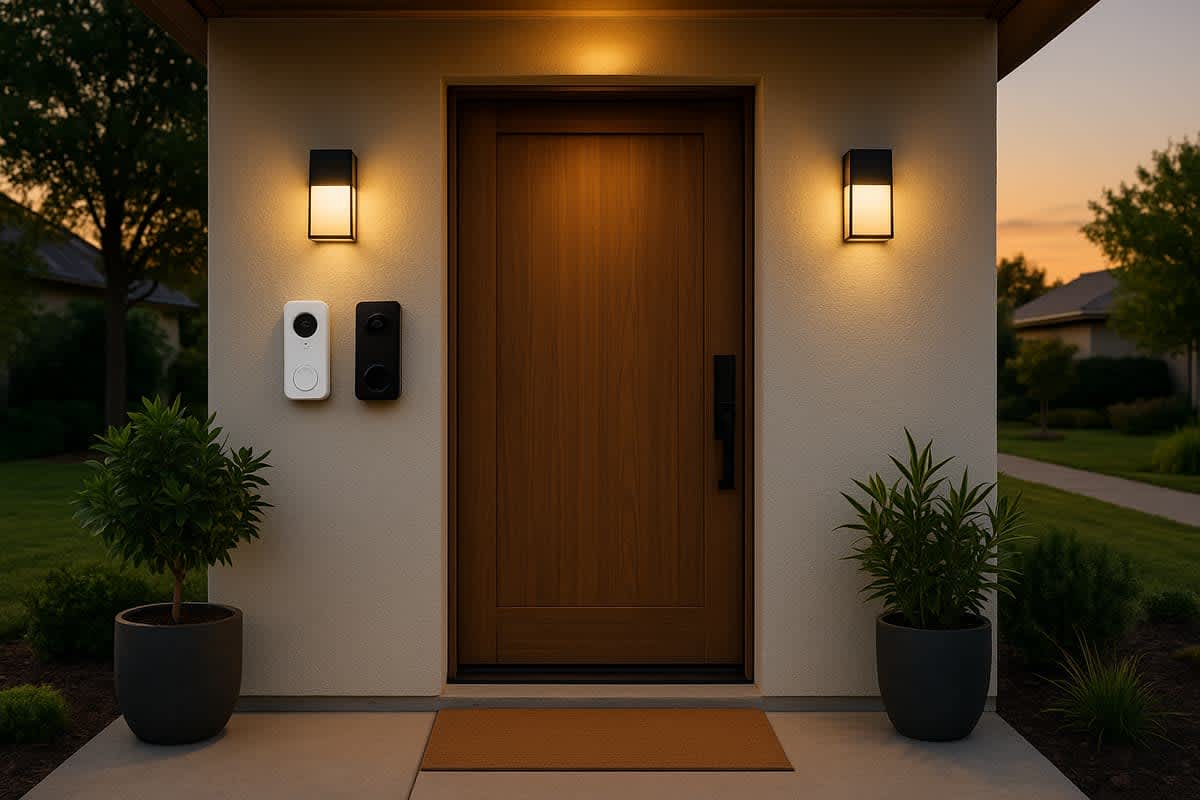
Eufy vs. Ring: which home security system is better?
Eufy vs. Ring: which home security system is better?
$99 – $199 Eufy doorbell
$59 – $229 Ring doorbell
$3.99 – $20 per month (Ring subscription)

Eufy vs. Ring: Comparing Two Top Smart Home Security Systems
Eufy and Ring are two of the most popular names in home security, but they take fundamentally different approaches to protecting your home. Ring relies on cloud-based storage with affordable hardware and optional subscription plans, while Eufy emphasizes local storage and minimal recurring fees. Choosing between them comes down to your priorities: privacy, cost over time, smart home integration, and the specific devices you need.
| Feature | Eufy | Ring |
|---|---|---|
| Parent company | Anker | Amazon |
| Primary storage | Local (on-device or HomeBase) | Cloud-based |
| Monthly subscription | $0 – $9.99 per month | $3.99 – $20 per month |
| Video resolution | Up to 4K | Up to 1080p (some at 1440p) |
| Smart home ecosystem | Google Assistant, Apple HomeKit (select models), Alexa | Amazon Alexa (deep integration) |
| Professional monitoring | Not available | Available with Ring Protect Pro |
| Doorbell price range | $99 – $199 | $59 – $229 |
| Camera price range | $34 – $299 | $33 – $249 |
Cost comparison
Upfront hardware costs are similar between the two brands, but the real difference emerges over time. Ring's subscription plans are practically essential for full functionality, while Eufy's local storage model lets most users avoid monthly fees entirely.
| Cost category | Eufy | Ring |
|---|---|---|
| Entry-level doorbell | $99 | $59 |
| Mid-range outdoor camera | $129 – $179 | $99 – $179 |
| Security system base kit | $199 – $399 | $199 – $329 |
| Basic subscription (per month) | $0 (local storage included) | $3.99 |
| Premium subscription (per month) | $2.99 – $9.99 (cloud add-on) | $20 (Ring Protect Pro) |
| Estimated first-year cost (doorbell + sub) | $99 – $135 | $107 – $299 |
| Estimated 3-year total cost | $99 – $207 | $203 – $779 |
Eufy costs
Eufy's biggest selling point is the potential to avoid subscription fees. Most Eufy cameras store video footage locally, either on the device itself or on a HomeBase hub. This means you can review recordings, receive motion alerts, and access live views without paying a monthly fee.
Eufy does offer an optional cloud storage plan called Eufy CloudPlay for users who want remote backup. Plans start at around $2.99 per month for a single camera. However, most users find the local storage sufficient for day-to-day use.
Ring costs
Ring's hardware pricing is competitive, and the entry-level Ring Video Doorbell is one of the most affordable smart doorbells available at around $59 to $99. However, without a Ring Protect subscription, you lose the ability to save and review recorded video, which is arguably the most important feature of a security camera.
The Ring Protect Basic plan costs $3.99 per month per device and includes video recording, photo capture, and sharing. Ring Protect Plus covers all devices at one address for $10 per month and adds 24/7 professional monitoring for the Ring Alarm system. Ring Protect Pro runs $20 per month and includes everything in Plus along with Eero Wi-Fi integration and extended warranties.
Video and audio quality
Eufy generally outperforms Ring when it comes to raw video resolution. Many Eufy cameras offer 2K or even 4K recording, while most Ring cameras cap out at 1080p. Both brands deliver clear two-way audio, but the sharper image quality from Eufy can make a noticeable difference when trying to identify faces or read license plates.
| Feature | Eufy | Ring |
|---|---|---|
| Max video resolution | 4K (select models) | 1440p HD+ (select models) |
| Standard resolution | 2K (2,560 x 1,920) | 1080p (1,920 x 1,080) |
| HDR support | Yes (select models) | Yes (select models) |
| Night vision | Infrared and color night vision | Infrared and color night vision |
| Field of view | Up to 180° | Up to 180° |
| Two-way audio | Yes | Yes |
Eufy video performance
Eufy cameras like the SoloCam S340 and the EufyCam S3 Pro deliver stunning 4K resolution with wide dynamic range. This level of detail is especially useful for identifying visitors, reading package labels, or providing evidence in the event of theft or vandalism.
Color night vision is available on many Eufy models thanks to built-in spotlights, and the cameras process footage using on-device AI. This means facial recognition and person detection happen without sending data to the cloud.
Ring video performance
Ring cameras deliver reliable 1080p video, and newer models like the Ring Battery Doorbell Pro offer 1536p (Head-to-Toe HD+) for a slightly wider and sharper field of view. While the resolution is lower than Eufy's top offerings, Ring's video quality is still clear and detailed enough for most home security purposes.
Ring's Bird's Eye View feature, available on select models with a Ring Protect subscription, uses radar technology to map out a visitor's path on an aerial view of your property. This is a unique feature that Eufy does not currently offer.
Storage options
Storage is one of the biggest differentiators between Eufy and Ring. Eufy prioritizes local storage, keeping your data on the device or a home hub. Ring relies almost entirely on cloud storage, which requires a paid subscription to access recorded footage.
| Storage feature | Eufy | Ring |
|---|---|---|
| Local storage | Yes (built-in eMMC or HomeBase) | No (limited edge recording on select models) |
| Cloud storage | Optional (Eufy CloudPlay) | Required for video history |
| MicroSD card support | Yes (some models) | No |
| HomeBase/hub storage | Up to 16TB with expandable HDD | Not applicable |
| Free cloud storage | No (local storage is free) | No |
| Video history retention | Until storage is full (local) | 180 days (cloud, with subscription) |
Why local storage matters
Local storage keeps your footage on hardware you physically own. If someone steals your Wi-Fi password or a data breach occurs at a cloud provider, locally stored footage remains unaffected. For privacy-conscious homeowners, this is a major advantage.
Eufy's HomeBase 3 supports up to 16TB of expandable hard drive storage, which can hold weeks or even months of continuous recordings from multiple cameras. Individual Eufy cameras often include built-in eMMC storage (typically 8GB to 32GB), enough to store several days of event-triggered clips.
Ring's cloud dependency
Ring's system was designed around cloud storage from the start. Without a Ring Protect subscription, your Ring camera can show you a live view and send motion alerts, but it cannot save or record any video for later review. This is a significant limitation for users who don't want to pay a monthly fee.
With a subscription, Ring stores footage in the cloud for up to 180 days. The advantage of cloud storage is that even if someone steals or destroys your camera, the footage is safely stored on Ring's servers.
Smart home integration
Ring has a clear advantage in smart home integration if you're already invested in the Amazon ecosystem. Eufy offers broader compatibility across multiple platforms but doesn't integrate as deeply with any single one.
| Integration | Eufy | Ring |
|---|---|---|
| Amazon Alexa | Yes | Yes (deep, native integration) |
| Google Assistant | Yes | Yes (limited) |
| Apple HomeKit | Yes (select models via HomeBase) | No |
| IFTTT | Limited | Yes |
| SmartThings | No | Yes |
| Matter support | In development | In development |
Ring and Alexa
Because Ring is owned by Amazon, the integration with Alexa is seamless. You can view live camera feeds on Echo Show displays, receive spoken motion alerts, and set up routines that trigger other smart home devices when your Ring camera detects motion. For example, your porch light can turn on automatically when someone approaches your front door.
Ring also integrates with other Amazon-owned devices and services, creating a tightly connected ecosystem that's difficult to match. If you already own Alexa-enabled devices, Ring is the most natural fit.
Eufy and cross-platform support
Eufy works with Alexa and Google Assistant, and select models support Apple HomeKit through the HomeBase hub. This makes Eufy a better choice for households that use a mix of smart home platforms or prefer Apple's ecosystem.
HomeKit support is particularly valuable for Apple users because it enables HomeKit Secure Video, which processes and stores footage using Apple's iCloud infrastructure. This adds an extra layer of privacy, as Apple encrypts the footage end-to-end.
Installation and ease of use
Both Eufy and Ring offer straightforward DIY installation, making professional help unnecessary for most users. The setup process for each brand involves downloading a companion app, connecting the device to Wi-Fi, and mounting the hardware with included tools.
| Installation aspect | Eufy | Ring |
|---|---|---|
| DIY installation | Yes | Yes |
| Average setup time | 15 – 30 minutes | 10 – 20 minutes |
| App quality | Good (Eufy Security app) | Very good (Ring app) |
| Battery-powered options | Yes | Yes |
| Wired options | Yes | Yes |
| Solar panel accessories | Yes | Yes |
| Professional installation available | No | Yes (optional, for a fee) |
Eufy setup experience
Eufy cameras that require a HomeBase hub add a small extra step to the setup process. You need to connect the HomeBase to your router via Ethernet, then pair each camera to the hub. Standalone Eufy cameras connect directly to Wi-Fi without the hub, simplifying installation.
The Eufy Security app is functional and well-organized, though some users report it can feel less polished than Ring's app. Firmware updates are generally reliable, and Eufy has improved its app interface significantly over recent years.
Ring setup experience
Ring's setup process is one of the smoothest in the industry. The Ring app walks you through each step with clear instructions and video guides. Every Ring device connects directly to your Wi-Fi network, so there's no hub required for basic camera and doorbell setups.
The Ring Alarm security system does use a base station, but setup remains straightforward. Ring also offers optional professional installation starting at around $129 for those who prefer a hands-off approach.
Privacy and security
Privacy has been a significant concern for both brands, though Ring has faced considerably more scrutiny. Eufy's local storage model inherently provides more privacy, while Ring's cloud-based system has raised concerns about data sharing and law enforcement access.
| Privacy feature | Eufy | Ring |
|---|---|---|
| Default storage location | Local (on-device) | Cloud (Amazon servers) |
| End-to-end encryption | Available (select models) | Available (opt-in) |
| Two-factor authentication | Yes | Yes (mandatory since 2020) |
| Law enforcement data sharing | Not reported | Yes (with warrant or user consent) |
| Past privacy controversies | Yes (2022 cloud upload issue) | Yes (multiple incidents) |
Eufy's privacy track record
Eufy markets itself as a privacy-first brand, but it hasn't been without controversy. In late 2022, security researchers discovered that Eufy cameras were uploading thumbnail images to AWS cloud servers for push notifications, even when users had opted for local-only storage. Eufy initially denied the claims before acknowledging the issue and releasing fixes.
Despite this incident, Eufy's fundamental architecture still favors privacy. Most footage stays on local hardware, and the company does not have a history of sharing data with law enforcement agencies.
Ring's privacy track record
Ring has faced multiple privacy and security incidents over the years. These include reports of employees accessing customer video feeds, vulnerabilities that allowed hackers to access live camera streams, and a contentious relationship with law enforcement through its Neighbors app.
Ring previously allowed police to request footage from users without a warrant through the Neighbors app. Amazon discontinued this practice in 2024, now requiring law enforcement to obtain a warrant or the user's explicit consent. Ring has also made end-to-end encryption available as an opt-in feature, though it is not enabled by default.
Product lineup comparison
Both Eufy and Ring offer extensive product lines that cover doorbells, indoor and outdoor cameras, floodlight cameras, and full alarm systems. Ring's ecosystem is broader, with more device types and accessories, while Eufy focuses on delivering higher-spec cameras at competitive prices.
| Product category | Eufy top model | Ring top model |
|---|---|---|
| Video doorbell | Eufy Video Doorbell S330 ($179) | Ring Battery Doorbell Pro ($229) |
| Outdoor camera | EufyCam S3 Pro ($249) | Ring Stick Up Cam Pro ($179) |
| Indoor camera | Eufy Indoor Cam S350 ($129) | Ring Indoor Cam (2nd Gen) ($59) |
| Floodlight camera | Eufy Floodlight Cam S330 ($199) | Ring Floodlight Cam Wired Pro ($249) |
| Alarm/security system | Eufy Security S380 system ($299 – $499) | Ring Alarm Pro (8-piece) ($299) |
Doorbells
Eufy's Video Doorbell S330 offers dual-camera technology with a wide-angle lens and a downward-facing package detection camera, all in 2K resolution. It supports local storage and does not require a subscription for basic features, including recorded video.
Ring's Battery Doorbell Pro features 1536p HD+ video, Bird's Eye View with radar-based motion tracking, and Head-to-Toe HD for a taller field of view. However, you need a Ring Protect plan to save and review doorbell recordings.
Outdoor cameras
Eufy's outdoor lineup stands out for its 4K resolution options and solar-powered models with long battery life. The EufyCam S3 Pro features a solar panel built directly into the camera body, which can keep it charged indefinitely with adequate sunlight.
Ring's outdoor cameras are reliable and well-tested, with strong Alexa integration. The Stick Up Cam is versatile enough for indoor or outdoor use, and Ring's Spotlight Cam adds a built-in siren and LED lights for deterrence.
Alarm systems
Ring's alarm system is more mature and feature-rich. The Ring Alarm Pro doubles as an Eero Wi-Fi 6 router and supports professional monitoring through Ring Protect Pro for $20 per month. The system integrates with Z-Wave devices, offering broad compatibility with third-party sensors and smart home devices.
Eufy's alarm system is newer and more limited in scope but doesn't require a monthly subscription for core functionality. It includes a keypad, motion sensors, and entry sensors, and it integrates seamlessly with Eufy's camera ecosystem.
Battery life and power options
Battery life varies significantly across both brands depending on the specific device, usage patterns, and feature settings. Eufy generally claims longer battery life across its wireless models, partly because local processing reduces the need for constant cloud uploads.
| Power feature | Eufy | Ring |
|---|---|---|
| Average battery life (doorbell) | 4 – 6 months | 2 – 6 months |
| Average battery life (camera) | 3 – 12 months | 2 – 6 months |
| Solar panel option | Yes | Yes |
| Wired power option | Yes (select models) | Yes (select models) |
| PoE (Power over Ethernet) | No | No |
Both brands offer solar panel accessories that can keep battery-powered cameras topped off without manual recharging. Eufy's built-in solar panels on select models provide a cleaner installation, while Ring's solar panels are sold separately and attach to the camera mounting bracket.
AI and detection features
Both Eufy and Ring use AI-powered detection to identify people, animals, vehicles, and packages. The key difference is where the processing occurs. Eufy handles AI detection on-device, while Ring processes most detection features in the cloud, requiring a subscription for full access.
| AI feature | Eufy | Ring |
|---|---|---|
| Person detection | Free (on-device) | Free (basic) / Enhanced with subscription |
| Facial recognition | Yes (on-device, select models) | No |
| Pet detection | Yes | Yes (with subscription) |
| Vehicle detection | Yes | Yes (with subscription) |
| Package detection | Yes (select models) | Yes (with subscription) |
| Custom activity zones | Yes | Yes (with subscription) |
Eufy's on-device facial recognition is a standout feature. Select models can learn and identify familiar faces, sending you customized notifications like "John is at the front door" rather than a generic motion alert. This feature works entirely locally and doesn't require a subscription.
Ring's advanced detection features, including custom motion zones, rich notifications, and smart alerts for people, packages, and vehicles, are locked behind the Ring Protect subscription. Basic motion detection is free, but the more useful, granular alerts require a paid plan.
Which should you choose?
The best choice between Eufy and Ring depends on what matters most to you. Neither brand is universally better; each excels in different areas.
| Priority | Best choice | Why |
|---|---|---|
| Lowest long-term cost | Eufy | No mandatory subscription fees |
| Best video quality | Eufy | Up to 4K resolution with on-device AI |
| Privacy-focused | Eufy | Local storage, on-device processing |
| Alexa smart home | Ring | Native Amazon integration |
| Professional monitoring | Ring | 24/7 monitoring with Ring Protect Pro |
| Apple HomeKit users | Eufy | HomeKit support on select models |
| Broadest ecosystem | Ring | More device types, accessories, and integrations |
| Easiest setup | Ring | No hub needed, polished app experience |
Choose Eufy if you want to avoid monthly fees, prefer higher-resolution video, value privacy through local storage, or use Apple HomeKit. Eufy is the better value over time, especially for multi-camera setups where subscription costs would add up quickly with Ring.
Choose Ring if you're deeply invested in the Amazon Alexa ecosystem, want the option for professional monitoring, or need the widest possible selection of smart home security devices and accessories. Ring's app experience and community features (like the Neighbors app) also offer added value that Eufy doesn't match.
For another comparison of Amazon's security brands, see our guide on Blink vs. Ring. You may also want to compare Vivint vs. ADT if you're considering professionally monitored systems, or explore the full range of home security system costs to find the best fit for your budget.
Frequently asked questions
Does Eufy require a subscription?
No. Most Eufy cameras and doorbells store footage locally at no ongoing cost. Eufy offers optional cloud storage through Eufy CloudPlay starting at $2.99 per month, but it is not required for video recording or playback.
Does Ring work without a subscription?
Ring cameras and doorbells function for live viewing and motion alerts without a subscription. However, you cannot save, review, or share recorded video without a Ring Protect plan, which starts at $3.99 per month.
Can Eufy cameras work with Ring devices?
Eufy and Ring operate on separate ecosystems and do not directly integrate with each other. You can use both brands in the same home, but you'll need to manage them through their respective apps. Both work with Alexa, so you can view feeds from either brand on an Echo Show.
Are Eufy cameras more secure than Ring?
Eufy's local storage model reduces the attack surface compared to Ring's cloud-based system, since your footage doesn't travel to external servers by default. However, both brands have experienced security and privacy issues. Enabling two-factor authentication and end-to-end encryption on either brand significantly improves security.
Which brand has better night vision?
Both brands offer infrared and color night vision on select models. Eufy's higher-resolution cameras generally produce sharper nighttime footage, especially models equipped with built-in spotlights for full-color recording in the dark.