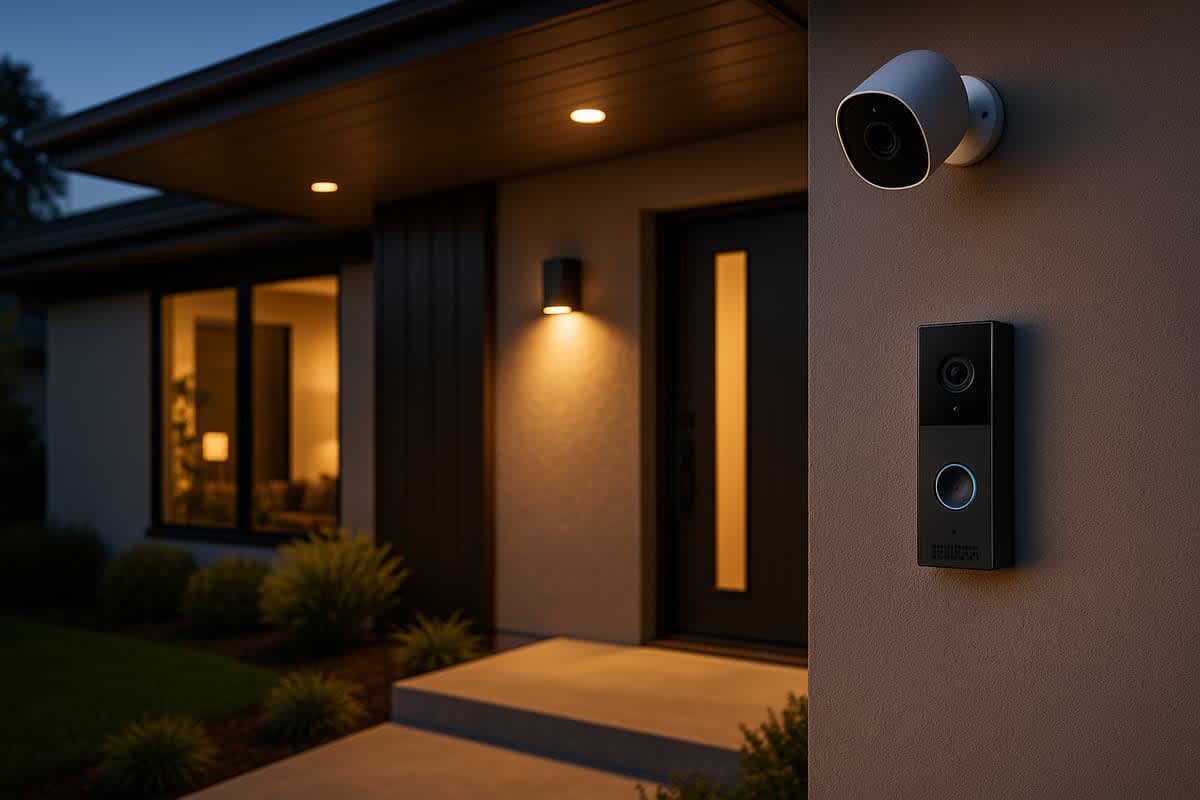
Arlo vs. Ring: which home security system is better?
Arlo vs. Ring: which home security system is better?
$3.99 – $20.00 per month (Ring)
$7.99 – $17.99 per month (Arlo)
$39.99 – $299.99 per camera

Arlo vs. Ring: Key Differences at a Glance
Arlo and Ring are two of the most popular names in home security, but they take different approaches to protecting your home. Ring, owned by Amazon, excels as a comprehensive, budget-friendly security ecosystem with strong smart home integration. Arlo stands out with superior camera quality, more flexible wireless options, and better privacy features. The right choice depends on your priorities: video quality, price, smart home compatibility, or subscription value.
| Feature | Arlo | Ring |
|---|---|---|
| Best for | Video quality and wire-free flexibility | Affordable whole-home security |
| Top video resolution | 4K HDR | 1080p to 2K (select models) |
| Monthly subscription | $7.99 to $17.99 | $3.99 to $20.00 |
| Smart home integration | Apple HomeKit, Google, Alexa | Amazon Alexa (primary) |
| Power options | Battery, solar, wired | Battery, solar, wired |
| Professional monitoring | No | Yes (Ring Protect Pro) |
| Camera price range | $49.99 to $299.99 | $39.99 to $249.99 |
Camera quality and performance
Arlo wins on camera quality. Its flagship cameras offer 4K HDR video with wide color gamut support, delivering sharper detail and better contrast than Ring's cameras. This matters most when you need to identify faces, license plates, or small details in security footage.
| Specification | Arlo | Ring |
|---|---|---|
| Max resolution | 4K HDR (Ultra 2 / Pro 5) | 1080p HD (most models), 2K (select) |
| Field of view | Up to 180° | Up to 160° |
| Night vision | Color night vision (spotlight) | Color night vision (spotlight) |
| HDR support | Yes | Limited (select models) |
| Two-way audio | Yes | Yes |
| Spotlight / siren | Built-in spotlight and siren | Built-in spotlight and siren |
Ring cameras typically record in 1080p, with some newer models reaching 2K resolution. While this is perfectly adequate for most home security needs, it falls behind Arlo's sharpest offerings. If video clarity is your top priority, Arlo has a clear edge.
Both brands offer color night vision using built-in spotlights, two-way audio for communicating with visitors or deterring intruders, and motion-activated recording. Arlo's wider field of view on premium models (up to 180°) covers more area per camera, potentially reducing the number of cameras you need.
Product lineup and camera options
Ring offers a broader product lineup that extends well beyond cameras. Its ecosystem includes video doorbells, indoor and outdoor cameras, alarm systems, smart lighting, and even a car dash cam. This makes Ring better suited for users who want a single brand covering every aspect of home security.
| Product type | Arlo options | Ring options |
|---|---|---|
| Outdoor cameras | Pro 5, Ultra 2, Go 2, Essential | Stick Up Cam, Spotlight Cam, Floodlight Cam |
| Indoor cameras | Essential Indoor, Baby Monitor | Indoor Cam, Pan-Tilt Cam |
| Video doorbells | Arlo Video Doorbell | Ring Video Doorbell (multiple models) |
| Alarm / security system | Arlo Home Security System | Ring Alarm, Ring Alarm Pro |
| Floodlight cameras | Arlo Pro 3 Floodlight | Ring Floodlight Cam (wired and plus) |
| Smart lighting | No | Yes (Pathlight, Steplight, etc.) |
| Price range (cameras) | $49.99 to $299.99 | $39.99 to $249.99 |
Arlo's lineup is more focused on cameras but includes standout products like the Arlo Go 2, a 4G LTE camera that works without Wi-Fi. This is ideal for remote locations like vacation cabins, construction sites, or rural properties where internet access is unreliable.
Ring dominates the video doorbell market with multiple options at different price points, from the basic Video Doorbell at around $99.99 to the premium Video Doorbell Pro 2. Arlo offers a single video doorbell model, which is well-reviewed but gives consumers fewer choices.
Subscription plans and pricing
Both Arlo and Ring require a subscription to unlock their most useful features, including cloud video storage, person detection, and advanced alerts. Ring offers the more affordable entry point, while Arlo's plans include richer AI-powered features at a higher cost.
| Plan | Monthly cost | What's included |
|---|---|---|
| Ring Protect Basic (1 device) | $3.99 | Video recording, photo capture, share and save |
| Ring Protect Plus (all devices) | $10.00 | All Basic features, 24/7 alarm backup, extended warranties |
| Ring Protect Pro | $20.00 | All Plus features, 24/7 professional monitoring, Eero Wi-Fi |
| Arlo Secure (1 camera) | $7.99 | Cloud recording, AI detection, activity zones |
| Arlo Secure Plus (unlimited cameras) | $17.99 | All Secure features, 4K storage, priority support |
Ring's Basic plan at $3.99 per month is one of the cheapest subscription options in the home security market. The Plus plan at $10.00 per month covers unlimited devices at one location, making it very cost-effective for households with multiple cameras.
Arlo Secure costs $7.99 per month for a single camera and $17.99 for unlimited cameras. While pricier, Arlo's plans include more advanced AI-powered features like package detection, vehicle detection, and animal detection. These smarter notifications reduce false alerts from wind-blown trees or passing headlights.
Free features without a subscription: Without a subscription, Ring provides live view, two-way talk, and real-time motion alerts but no video recording. Arlo similarly offers live view and alerts but does not store footage in the cloud. Both brands essentially require a paid plan to make their cameras fully functional security tools.
Smart home integration
Arlo offers broader smart home compatibility. It works with Amazon Alexa, Google Assistant, Apple HomeKit, Samsung SmartThings, and IFTTT. This cross-platform support gives Arlo users more flexibility regardless of their existing smart home setup.
| Platform | Arlo | Ring |
|---|---|---|
| Amazon Alexa | Yes | Yes (native integration) |
| Google Assistant | Yes | Limited |
| Apple HomeKit | Yes (select models) | No |
| Samsung SmartThings | Yes | No |
| IFTTT | Yes | Yes |
Ring is built for the Amazon ecosystem. If you already use Echo devices, Fire TV, and other Amazon products, Ring integrates seamlessly. You can view live feeds on Echo Show displays, receive Alexa announcements when motion is detected, and control Ring devices with voice commands.
However, Ring's integration with Google Assistant and Apple HomeKit is either limited or nonexistent. If you use an iPhone with HomeKit accessories or Google Nest devices, Arlo is the significantly better choice. This single factor can be the deciding one for many buyers.
Installation and setup
Both Arlo and Ring are designed for DIY installation, and most users can set up their cameras in under 30 minutes per device. However, the two brands differ in their power options and mounting flexibility.
| Factor | Arlo | Ring |
|---|---|---|
| DIY installation | Yes | Yes |
| Battery-powered options | Yes (rechargeable, magnetic mounts) | Yes (rechargeable battery packs) |
| Solar panel accessories | Yes | Yes |
| Hub required | Some models (SmartHub) | No (most cameras are standalone) |
| Hardwired options | Yes (select models) | Yes (select models) |
| App setup | Arlo app (iOS/Android) | Ring app (iOS/Android) |
Arlo's wire-free cameras use rechargeable batteries and magnetic mounts, making them extremely easy to reposition. Some Arlo models require a SmartHub base station, which adds a setup step but enables local storage options and more reliable connectivity.
Ring cameras are mostly standalone Wi-Fi devices that connect directly to your router. This simpler architecture means fewer components to manage. Ring also offers professional installation through its partnership with Amazon, where a technician can set up your entire system for a fee.
Both brands offer solar panel accessories to keep outdoor batteries charged, eliminating the need to periodically remove and recharge them.
Mobile app and user experience
The mobile app is your primary interface for monitoring cameras, reviewing footage, and managing settings. Both apps are available on iOS and Android, but they differ in layout, speed, and overall usability.
| App feature | Arlo | Ring |
|---|---|---|
| Overall rating (App Store) | Approximately 4.0 stars | Approximately 4.3 stars |
| Live view speed | Moderate (can have slight delay) | Moderate (can have slight delay) |
| Timeline / video history | Calendar-based, easy to browse | Event-based timeline |
| Custom activity zones | Yes (with subscription) | Yes (with subscription) |
| Multi-location support | Yes | Yes |
| Web browser access | Yes | Yes |
Ring's app tends to feel more polished and responsive for most users. It integrates Ring Alarm controls, camera feeds, neighborhood alerts, and device settings into a unified dashboard. The Ring app also includes the Neighbors feature, a community-based feed where users share local security alerts and footage.
Arlo's app provides a clean interface with a calendar-based video history that makes it easy to scrub through past events. Some users report occasional lag when loading live feeds, though this varies by model and network quality. Arlo's app also supports geofencing, which automatically arms or disarms cameras based on your phone's location.
Security and privacy
Privacy-conscious buyers may prefer Arlo. The company has taken a stronger stance on user privacy compared to Ring, which has faced scrutiny over data sharing with law enforcement and third-party access.
| Privacy feature | Arlo | Ring |
|---|---|---|
| End-to-end encryption | Yes (select models) | Yes (opt-in for select models) |
| Two-factor authentication | Yes | Yes (mandatory) |
| Local storage option | Yes (via SmartHub / USB) | Yes (Ring Alarm Pro with Eero) |
| Law enforcement sharing | Requires user consent or warrant | Requires user consent or warrant (policy updated) |
| Data stored | Cloud (AWS) | Cloud (AWS / Amazon) |
Ring previously faced criticism for allowing law enforcement to request footage from users through its Neighbors Public Safety Service. In 2024, Ring updated its policies to require a warrant or user consent before sharing any footage. Ring also made two-factor authentication mandatory for all accounts.
Arlo supports end-to-end encryption on select models and offers local storage through its SmartHub, allowing users to save footage on a USB drive or microSD card without relying solely on cloud servers. This gives privacy-focused users more control over where their data lives.
Both systems use AES 128-bit or 256-bit encryption for data transmission and store footage on Amazon Web Services (AWS) cloud servers.
Professional monitoring
Ring offers optional 24/7 professional monitoring through its Protect Pro plan at $20.00 per month. When paired with the Ring Alarm system, trained agents monitor your home for break-ins, fires, and other emergencies. They can dispatch police, fire, or medical responders on your behalf.
| Monitoring feature | Arlo | Ring |
|---|---|---|
| Professional monitoring available | No | Yes |
| Monthly cost | N/A | $20.00 |
| Cellular backup | Arlo Go 2 (4G LTE camera) | Ring Alarm Pro (Eero with LTE backup) |
| Battery backup | Camera batteries | Ring Alarm base station (24-hour backup) |
Arlo does not currently offer professional monitoring services. Its system is designed for self-monitoring through the mobile app. You receive push notifications and can view live feeds, but there is no team of operators watching your home or contacting emergency services.
For users who want a fully monitored security system comparable to ADT or Vivint but at a fraction of the cost, Ring is the clear winner. The Protect Pro plan also includes cellular backup through the Ring Alarm Pro base station, keeping your system online even during internet outages.
Battery life and durability
Battery life is a critical factor for wire-free camera setups. Both brands offer rechargeable battery-powered cameras, but performance varies based on activity levels, settings, and environmental conditions.
| Specification | Arlo | Ring |
|---|---|---|
| Typical battery life | 3 to 6 months | 3 to 6 months |
| Weather resistance | IP65 (most outdoor models) | IPX5 to IP55 (varies by model) |
| Operating temperature | -4°F to 113°F | -5°F to 120°F |
| Swappable batteries | Yes (most models) | Yes (Quick Release Battery Pack) |
| Solar charging option | Yes | Yes |
Both brands advertise approximately 3 to 6 months of battery life per charge, though real-world performance depends heavily on how many motion events your camera captures daily. High-traffic areas can drain batteries in as little as one to two months.
Arlo cameras tend to have slightly better weather resistance ratings (IP65), meaning they are fully protected against water jets from any direction. Ring cameras vary by model, with some offering IPX5 protection suitable for rain but not direct water jets.
Both brands function in extreme temperatures, making them suitable for most climates. For locations with harsh winters or intense summers, check the specific model's operating temperature range before purchasing.
Video storage options
How and where your footage is stored affects both convenience and long-term costs. Arlo provides more local storage flexibility, while Ring focuses primarily on cloud-based storage through its subscription plans.
| Storage option | Arlo | Ring |
|---|---|---|
| Cloud storage (with subscription) | 30 days | 180 days |
| Local storage | Yes (USB via SmartHub) | Yes (Ring Alarm Pro with Eero) |
| Free cloud storage | No (trial period only) | No |
| Download and share clips | Yes (with subscription) | Yes (with subscription) |
Ring Protect plans store footage for up to 180 days, one of the longest cloud retention periods in the industry. This extended window gives you ample time to review incidents without worrying about clips being automatically deleted.
Arlo Secure plans retain cloud footage for 30 days, which is standard but much shorter than Ring's offering. However, Arlo compensates with more robust local storage options. The Arlo SmartHub supports USB drives for on-site video backup, providing a free, subscription-independent storage alternative.
Ring's local storage option is limited to the Ring Alarm Pro base station, which includes a built-in Eero router with local storage capability. This option is not available for users who only have Ring cameras without the Alarm Pro system.
Which is better for renters?
Both Arlo and Ring offer renter-friendly options, but Arlo has a slight advantage due to its fully wire-free, battery-powered cameras that require no drilling or permanent modifications.
Arlo's magnetic mounts let you place cameras on metal surfaces or use simple adhesive mounts that leave no damage. When you move, you simply detach the cameras and take them with you. Ring also offers battery-powered cameras that are easy to relocate, but its most popular product, the Ring Video Doorbell, often requires hardwiring or, at minimum, removing your existing doorbell for installation.
Ring's Stick Up Cam Battery and Indoor Cam are excellent portable options for renters. For a complete renter-friendly setup, either brand works well, but Arlo's wireless-first design philosophy gives it an edge in flexibility.
Which should you choose?
The best choice between Arlo and Ring depends on what matters most to you.
| Priority | Best choice |
|---|---|
| Best video quality | Arlo |
| Lowest subscription cost | Ring |
| Amazon / Alexa smart home | Ring |
| Apple HomeKit / Google Home | Arlo |
| Professional monitoring | Ring |
| Privacy and local storage | Arlo |
| Whole-home security ecosystem | Ring |
| Remote / off-grid locations | Arlo (Arlo Go 2 with 4G LTE) |
| Renters | Arlo (slightly better) |
| Budget-friendly setup | Ring |
Choose Arlo if you prioritize video quality, need Apple HomeKit or Google Assistant compatibility, want local storage options, or need a camera for a location without Wi-Fi. Arlo is the more versatile camera brand with stronger privacy credentials.
Choose Ring if you want an affordable, all-in-one home security system with professional monitoring, long cloud storage retention, and deep Amazon Alexa integration. Ring offers better value for budget-conscious buyers who want comprehensive coverage across their entire property.
Consider mixing both brands: You are not locked into one ecosystem. Some homeowners use Ring for their doorbell and alarm system while relying on Arlo cameras for outdoor surveillance with superior video quality. Both systems run through separate apps, so there is no technical conflict in using them together.
Frequently asked questions
Can Arlo and Ring cameras work together?
Arlo and Ring cameras operate on separate apps and ecosystems, so they don't directly integrate with each other. However, you can use both brands simultaneously in your home. Some users run Ring for their doorbell and alarm system while using Arlo for outdoor cameras.
Do Arlo or Ring cameras work without Wi-Fi?
Most cameras from both brands require Wi-Fi. The exception is the Arlo Go 2, which uses 4G LTE cellular connectivity and works independently of any Wi-Fi network. Ring does not currently offer a standalone LTE camera, though the Ring Alarm Pro provides cellular backup for the alarm system.
Are Arlo and Ring cameras easy to steal?
Both brands offer security mounts and screws to deter theft. Arlo's magnetic mounts are convenient but could be easier to grab. Ring cameras typically use screw-based mounts that are more secure. Both brands can trigger alerts if a camera is tampered with, and footage captured before the theft is saved in the cloud.
Which has better customer support?
Ring benefits from Amazon's customer service infrastructure, offering phone, chat, and email support. Arlo provides phone and chat support as well as a community forum. Ring generally receives higher marks for responsiveness, while Arlo's support quality can vary depending on whether you have a paid subscription.
Do I really need a subscription for either brand?
Technically, both cameras function without a subscription for live viewing and basic alerts. However, without a plan, you cannot record or review video clips, which severely limits the cameras' usefulness as security tools. A subscription is strongly recommended for either brand.
How do Arlo and Ring compare to other home security cameras?
Both Arlo and Ring are strong contenders in the DIY home security space. For another comparison involving Ring, see our guide on Eufy vs. Ring, which covers Eufy's local-storage-first approach. You can also compare Blink vs. Ring if you're considering Amazon's more budget-friendly camera brand. For a breakdown of Ring doorbell costs by model, our dedicated guide covers pricing and features. Additionally, understanding Ring subscription costs can help you budget for ongoing monitoring expenses. If you're interested in professional monitoring, our security camera installation cost guide covers pricing for professionally installed systems.